Case Study · Myst · 2025
Myst
This one started as an editing contest. A buddy of mine, Musti, runs a jewelry brand and put the contest out, and one of the clips we got to work with was a laser engraver burning one of their runes into a signet ring. I saw that shot and pretty much instantly knew what I wanted to do with it.
I'm a huge Arcane fan, and there's this whole thread in the show where they mess with magic by inscribing runes onto a crystal. That was the spark. The brand had sent over a PNG of every rune they actually engrave into their pieces, so I figured, what if I take their real symbols and bring them to life like the Hextech stuff, scattered all through the cut.
Here's how I pulled it off.
Reference · the spark
The look I was chasing
Before I touched anything, this was the target. There's a stretch in Arcane where they're inscribing runes onto a crystal to bend the magic, glyphs hanging in the air, arc light jumping between them, the whole thing feeling charged and alive. These frames are straight from the show, not mine. That was the bar I was trying to hit.
01
Cut the symbol sheet apart
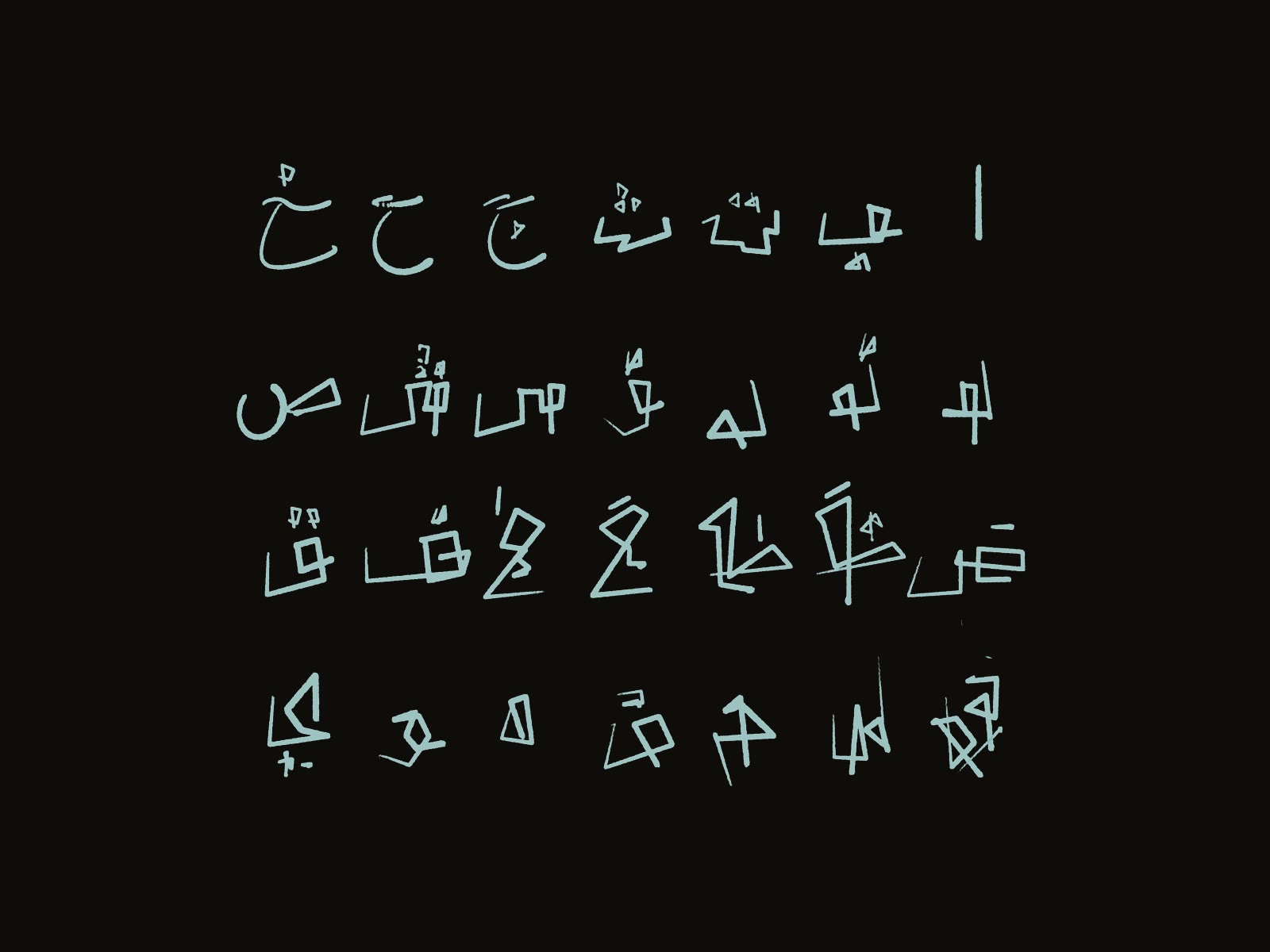
Musti's team handed me a PNG with their whole rune set on it, the exact symbols they engrave into their pieces. First job was pulling them apart. I cut every glyph out on its own, keyed it clean off the background, and gave each one its own glow so it lights up from the inside.
Once they're all separate layers I can do whatever I want with them, fly them, blur them, light them one at a time. Nothing's locked together, and that's the whole reason the rest of this works.
02
Fly them in and merge (the opening)
For the opening I hand-keyframed every rune on its own path, flying all over the place, crossing each other, then slamming together into the middle. All of it animated by hand, one symbol at a time.
Then I went heavy on the motion blur so they read like they're moving way too fast to even track, more energy than shape. I also threw a blob tracker on the frame, which is where those little boxes and coordinate numbers come from. I never finished that tracking pass, but honestly it looked sick in the renders so I left it in.
03
Reverse it, then orbit the ring
The second movement is the exact same idea, just flipped. Instead of flying in and merging, the runes start packed in the center and blow back outward. Same hand-keyframed chaos, opposite direction.
Then I 3D tracked them into the shot and keyframed each rune to orbit a point in space, so the whole swarm circles the engraver while it's burning the symbol into the ring, instead of sitting flat on top of the footage. I laced in the tracery, all that thin connective linework wiring the runes together, and blurred individual symbols by how far they sit from camera so the cloud actually has some depth to it.
04
Two passes: with tracery, and without
I rendered it two ways. The full version laces everything together with the tracery so it reads like one living system wiring itself across the frame. Busy and dense, on purpose.
But you don't want it screaming the whole time. For the calmer beats I did a second pass with the tracery stripped out, just the runes breathing around the ring. Same orbit, same track, way less noise. Having both meant I could turn the magic up or down depending on the moment.
05
The workflow, on screen
Here's the actual comp in After Effects. Every rune is its own layer with its own anchor, rotation, and position, all keyframed by hand so I can shove a whole cluster around or nudge one symbol on its own.
This is the boring middle nobody sees: scrubbing the timeline, dragging anchor points, stacking up motion blur, making sure every rune hits its mark before any of it goes near the footage.
06
The grade that finally sold it
The last piece was a PowerGrade I built myself in DaVinci, and honestly that's what tied the whole thing together. Up to here the runes still read a little like they were just floating in front of the footage. I wanted them to feel like they were sitting on the outside of an energy plane, wrapped onto a surface instead of pasted on flat.
So I pushed a ton of edge distortion across the whole frame. Enough that the runes actually bend and warp around the plane they're sitting on, like the energy's got its own shape and they're riding the curve of it. Soon as I added that, it clicked. That was the one that sold it for me.